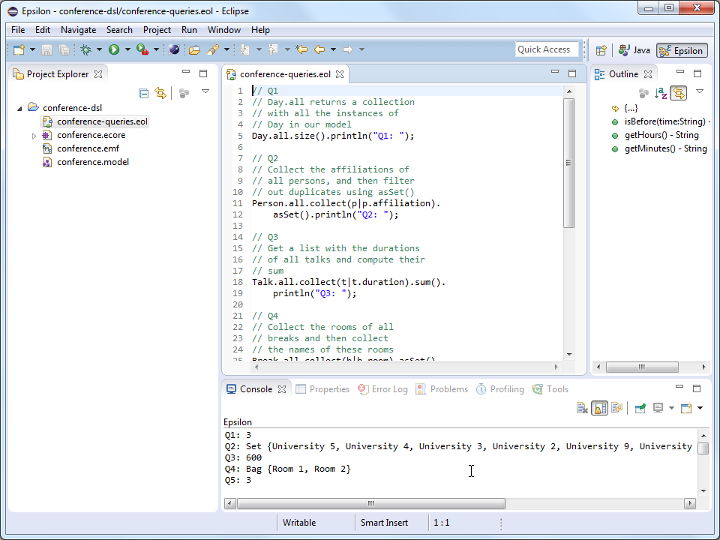
Conference DSL queries
Write five EOL queries (Q1-Q5) that print:
- Q1: The number of days the conference lasts
- Q2: A set of unique affiliations of participants of the conference
- i.e. if multiple persons have the same affiliation, the affiliation should appear only once in this set
- Q3: The total duration of all talks in the conference
- Q4: A set of all the names of the rooms in which breaks take place
- Q5: The number of tracks that start before noon
- Reminder:
Slot.startandSlot.endare strings that use theHH:MMformat (e.g. 15:30).
- Reminder:
Instructions for running your EOL queries against a conference model are provided below.
Solutions
// Q1
// Day.all returns a collection
// with all the instances of
// Day in our model
Day.all.size().println();

// Q2
// Collect the affiliations of
// all persons, and then filter
// out duplicates using asSet()
Person.all.collect(p|p.affiliation).asSet().println();

// Q2
// More verbose version that uses
// a for loop instead of .collect()
// You should avoid writing such code
var affiliations : Set;
for (p in Person.all) {
    affiliations.add(p.affiliation);
}
affiliations.println();

// Q3
// Get a list with the durations
// of all talks and compute their
// sum
Talk.all.collect(t|t.duration).sum().println();

// ... or more concisely
Talk.all.duration.sum().println();

// Q4
// Collect the rooms of all
// breaks and then collect
// the names of these rooms
Break.all.collect(b|b.room).asSet().collect(r|r.name).println();

// ... or more concisely
Break.all.room.asSet().name.println();
For Q5, we will need to define a few helper operations for working with HH:MM-formatted times first. For now, we assume that string values under Slot.start and Slot.end conform to the HH:MM format. Later on, we will encode (and check) this assumption using a validation constraint.
import "common.eol";

// Q5
// Select all tracks that start before noon
// and compute the size of the returned collection
Track.all.select(t|t.start.isBefore("12:00")).size().println();
Warning
The EOL execution engine ignores any statements that appear after the definition of the first operation in a
.eolfile. Therefore, if you were to move the first statement in the example above (Track.all.select(t|t.start.isBefore("12:00")).size().println();) to the end of the file, it would not get executed.
Running queries Q1-Q5
- To run these queries you will need
- The Ecore metamodel of the Conference DSL;
- A sample model that conforms to it;
- An EOL file that contains your queries.
- You should already have
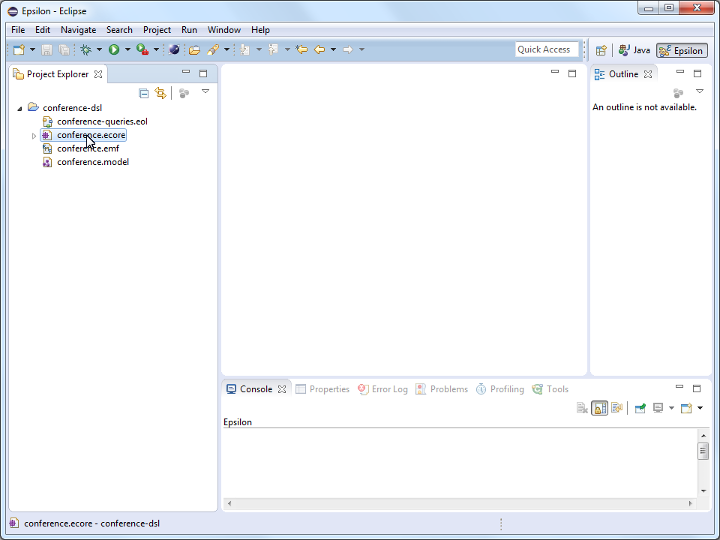
conference.ecore(Ecore metamodel) andconference.model(sample model) in your workspace after following the instructions at the start of this practical. - Create an empty text file named
conference-queries.eolwithin yourconference-dslproject. - Right-click on
conference.ecore.
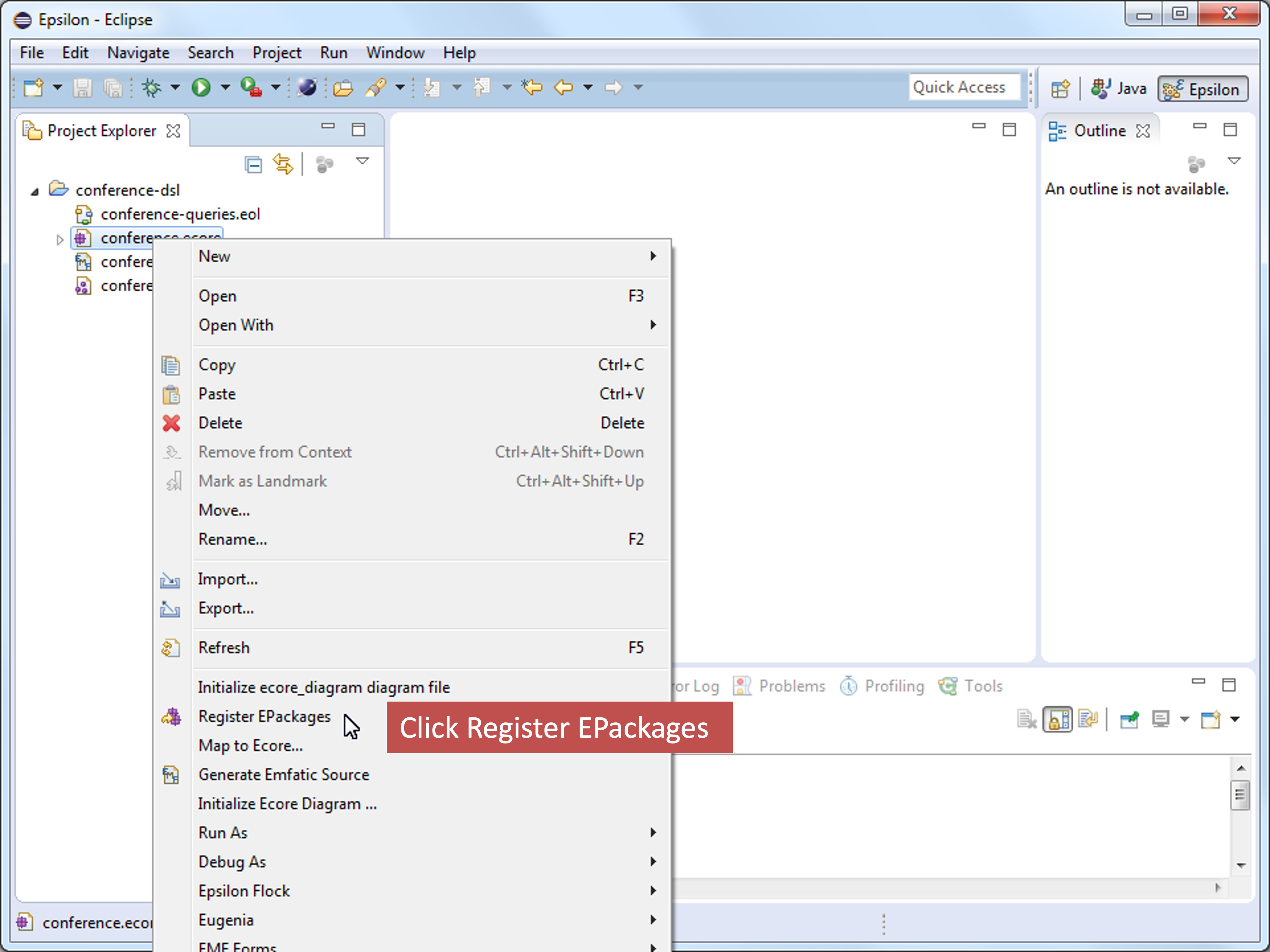
- Click on the
Register EPackagesmenu item. This will register the metamodel with EMF so that it can load models (such asconference.model) that conform to this metamodel.
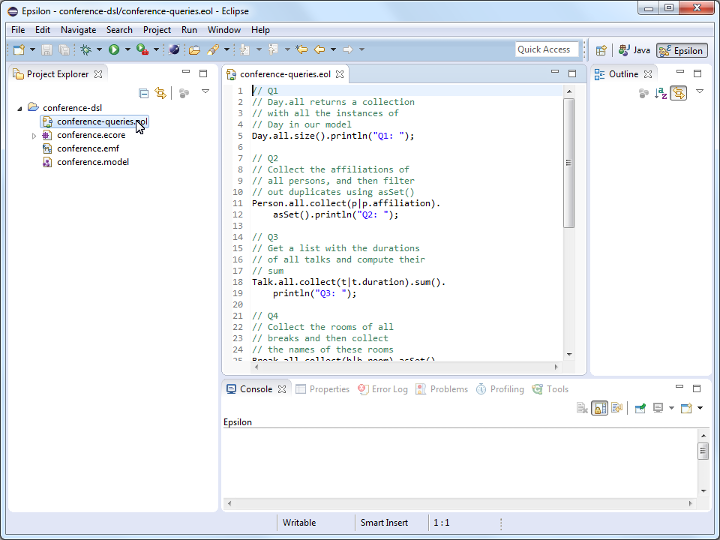
- Open your
conference-queries.eolfile and type/paste your queries in it.
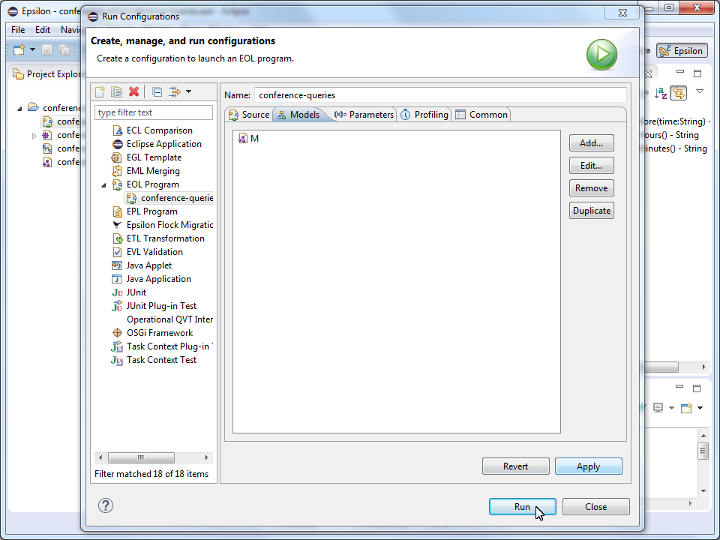
- Create a new
EOL Programrun configuration to run your EOL queries.
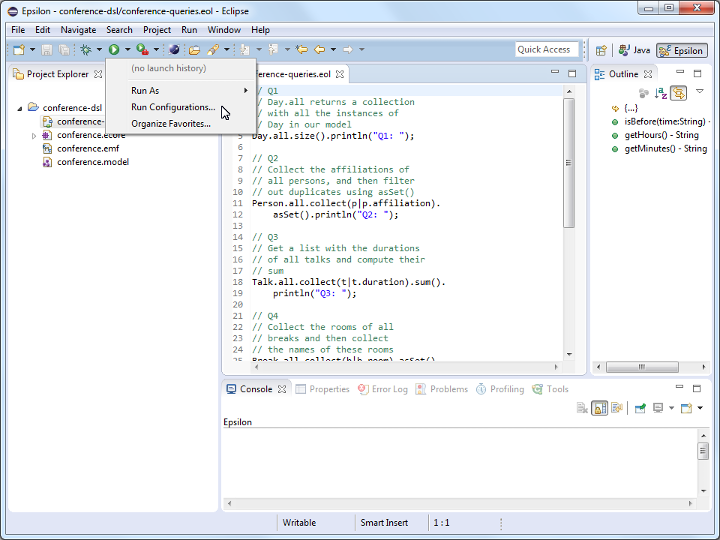
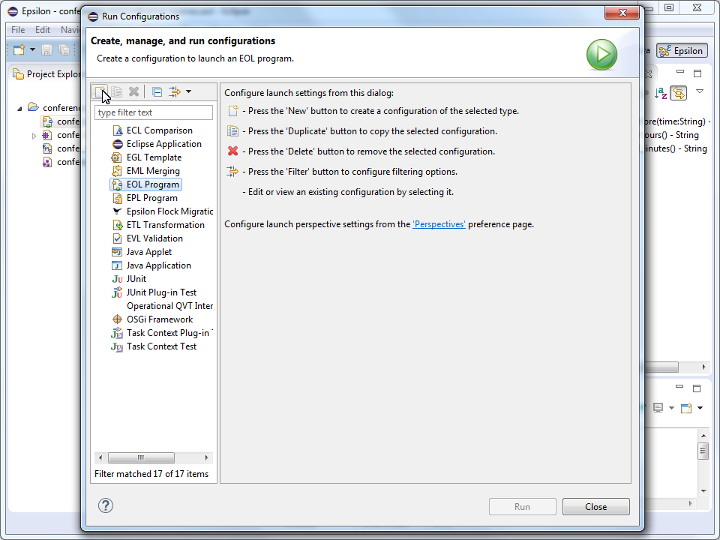
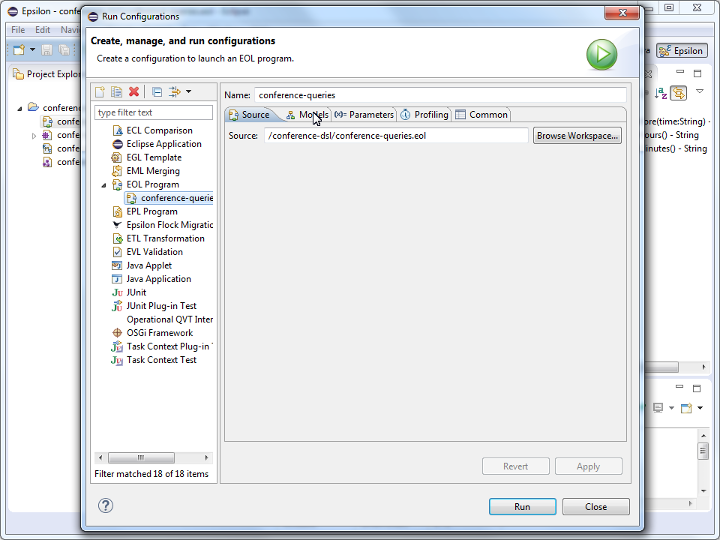
- Double-check that the path of your EOL file appears in the
Sourcefield of theSourcetab of the run configuration dialog.
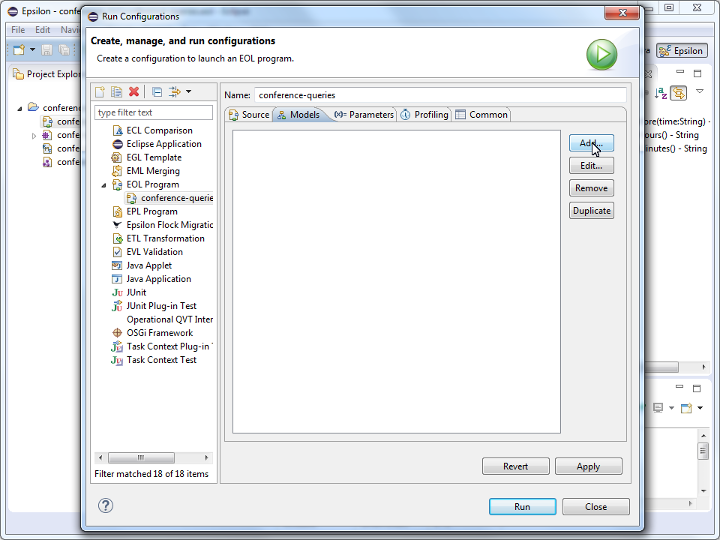
- Add the Conference model (
conference.model) to the run configuration through theModelstab of the dialog.
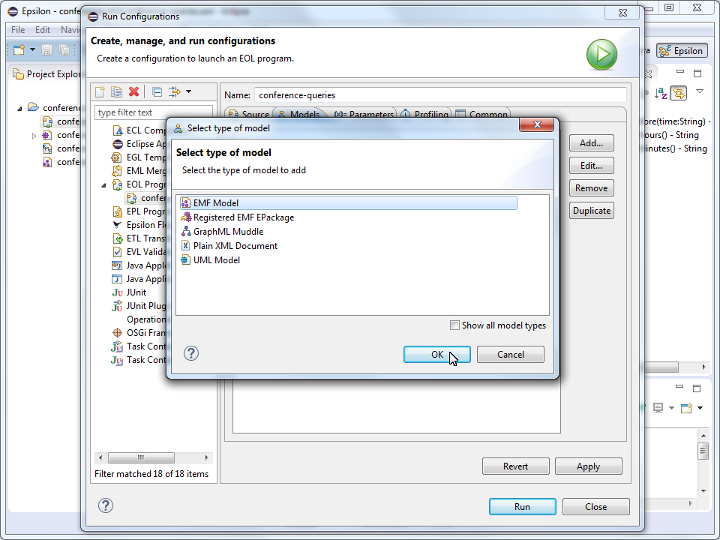
- Set the name of the model to
M
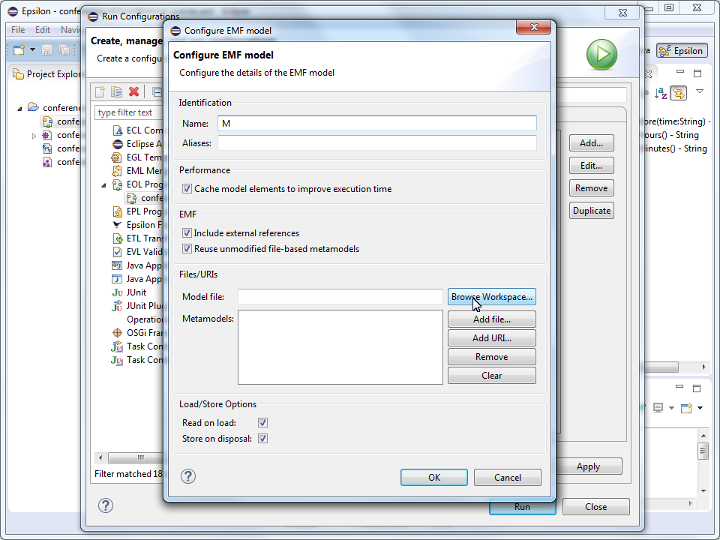
- Select
conference.modelas the model file. If the file selection dialog is empty, start typing the name of the file or**to display all workspace files.
Warning
Double-check that you have selected the model file (
conference.model) and not the metamodel file (conference.ecore) in this step. This is a common mistake to make.
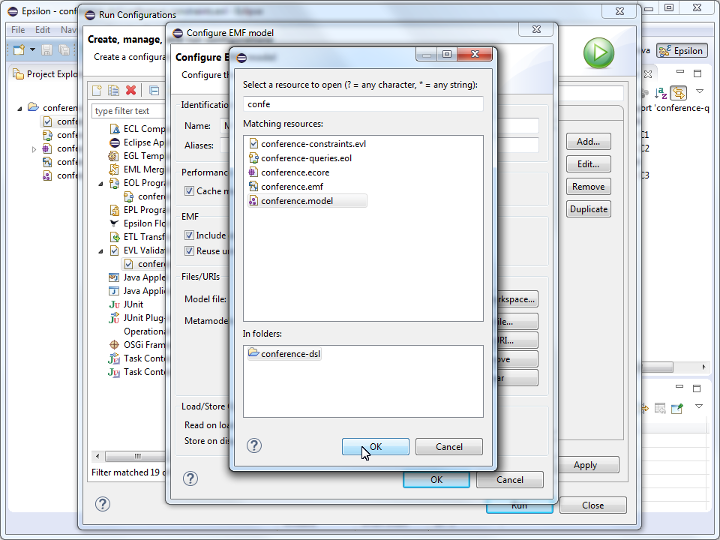
- As soon as you select
conference.model, the URI of its metamodel (conference) should be added to theMetamodelslist of the dialog. If it doesn’t, it means that you have either not selected the correct model file, or that you have not registered your metamodel (conference.ecore) with EMF (see earlier steps).
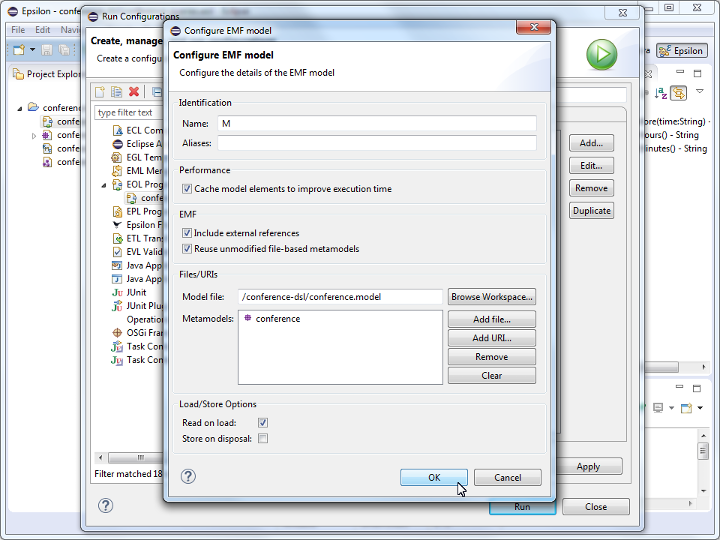
- Click the
Runbutton.
- The output of your queries should appear in the
Consoleview.